Html Css
Theme Tokens
CSS Variables Become Rendered Color
A theme card changes because JavaScript writes CSS custom properties. Each replay step connects the token write to the browser-rendered colors.
Program
The source does not draw pixels directly. It writes theme tokens and classes, then the browser resolves those values through CSS.
theme_tokens.js
Visuals: captured from real browser rendering
const panel = document.querySelector('#theme-panel');
const label = panel.querySelector('.theme-label');

panel.style.setProperty('--accent', '#2563eb');
panel.style.setProperty('--surface', '#dbeafe');
label.textContent = 'Ocean';

panel.classList.add('theme-contrast');
panel.dataset.theme = 'contrast';
panel.style.setProperty('--accent', '#f97316');
label.textContent = 'Contrast';

panel.classList.add('theme-ready');
panel.style.setProperty('--surface', '#dcfce7');
label.textContent = 'Ready';
Write the first theme token values and label.
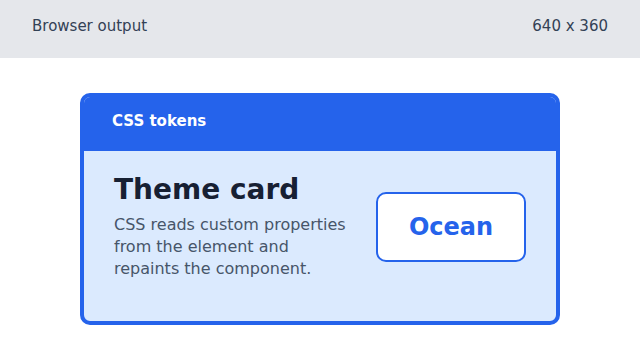
The custom properties set the accent and surface colors that CSS resolves through var(). Apply the contrast class, attribute, accent token, and label.
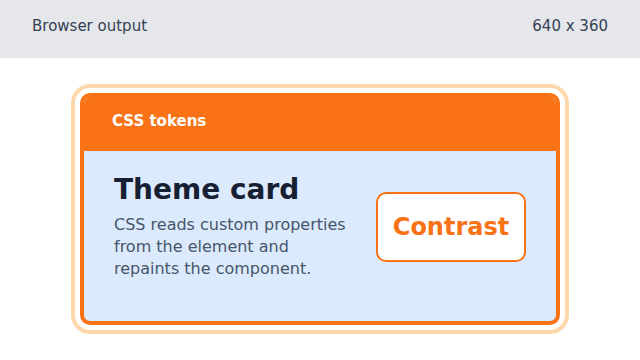
The class and token update move the same markup into a high-contrast rendered state. Add the ready class, final surface token, and label.
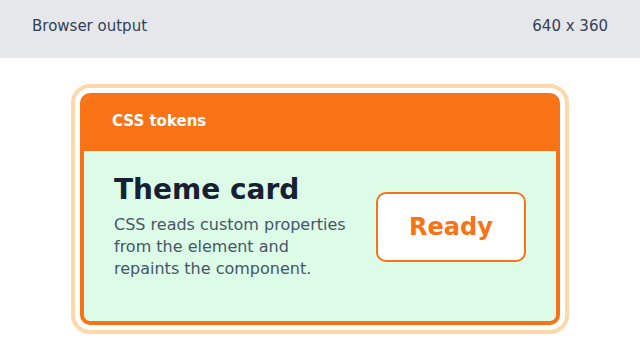
The ready class and surface token combine: CSS keeps the orange accent but repaints the surface green.
custom property
A CSS custom property is a named value such as `--accent` that other CSS rules can reuse with `var(--accent)`.
setProperty
`element.style.setProperty('--name', value)` writes a CSS custom property from JavaScript.
computed style
Computed style is the final value the browser applies after selectors, classes, attributes, and custom properties resolve.