Html Css
Layout Modes
Classes Reflow the Same Markup
One set of cards changes layout as JavaScript changes classes and a data attribute. The replay connects each source mutation to the browser's reflowed grid.
Program
The source never moves a card by hand. It changes layout state on the container, then CSS Grid recalculates where the cards belong.
layout_modes.js
Visuals: captured from real browser rendering
const board = document.querySelector('#layout-board');
const firstTile = board.querySelector('.tile');

board.dataset.layout = 'stack';
board.classList.add('layout-stack');

board.classList.replace('layout-stack', 'layout-grid');
board.dataset.layout = 'grid';

firstTile.classList.add('featured');
board.classList.add('layout-featured');
board.dataset.layout = 'featured';
Set the board to stacked layout state.
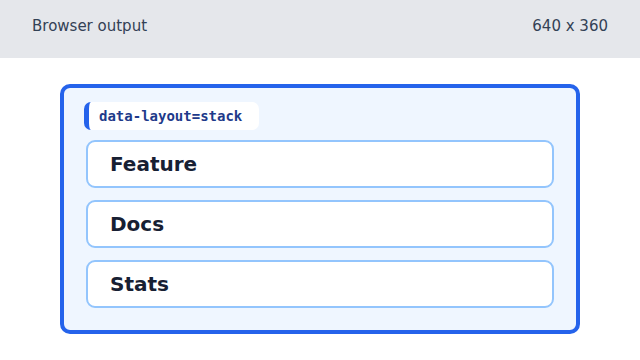
The stack class makes every tile occupy the same single column. Replace the stacked class with grid layout state.
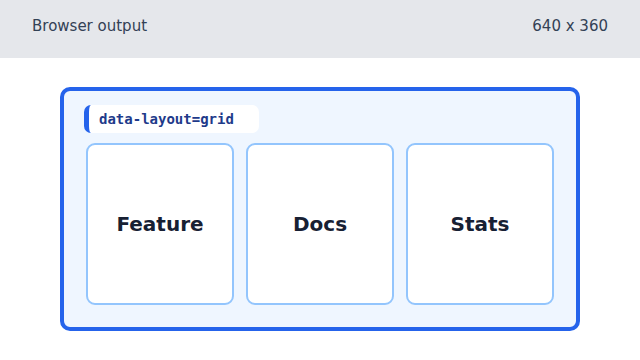
Replacing one class changes the grid template and reflows the same cards into columns. Feature the first tile and switch to featured layout state.
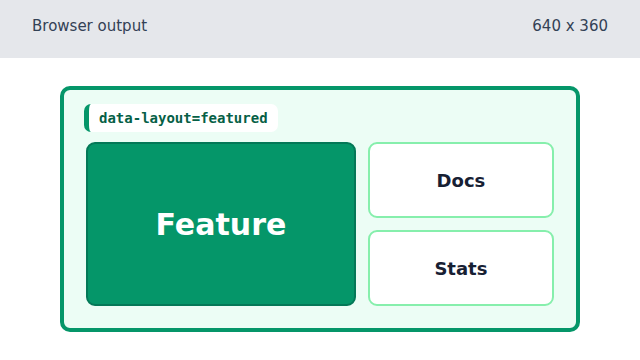
The featured class makes the first tile span a larger grid area while the other tiles keep their markup.
class-driven layout
Layout classes let CSS choose a different arrangement for the same markup.
CSS Grid
CSS Grid places children into rows and columns based on rules such as `grid-template-columns`.
data attribute
A `data-*` attribute stores state on an element. CSS can display that state with `attr(...)`, and JavaScript can update it through `dataset`.