Filter and Summarize
Filter Status
A browser table starts with all tasks and then filters down to rows whose status is open.
Program
After CSV rows become records, the browser can derive smaller views for dashboards, queues, and reports.
filter_status.html
Visuals: captured from real browser rendering
<script>
  const records = [
    { task: "Deploy", status: "open" },
    { task: "Invoice", status: "closed" },
    { task: "Review", status: "open" }
  ];
  const open = records.filter(row => row.status === "open");
  render(open);
</script>
Start with three records.
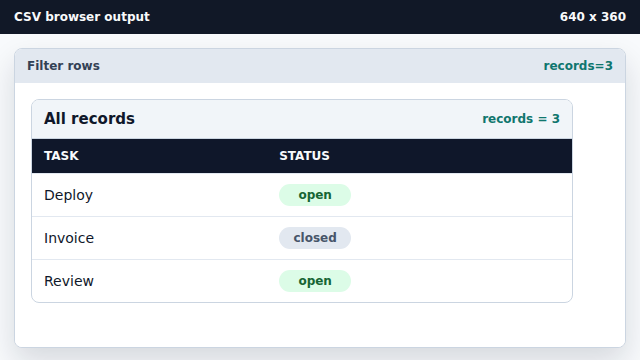
The filter starts from the full data set. Keep rows whose status is open.
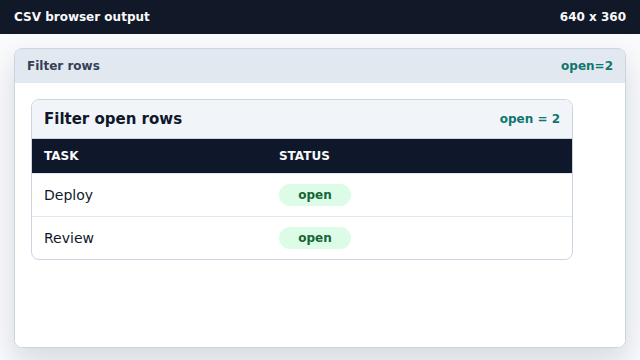
filter returns a new array without changing the original records. Render the filtered rows.
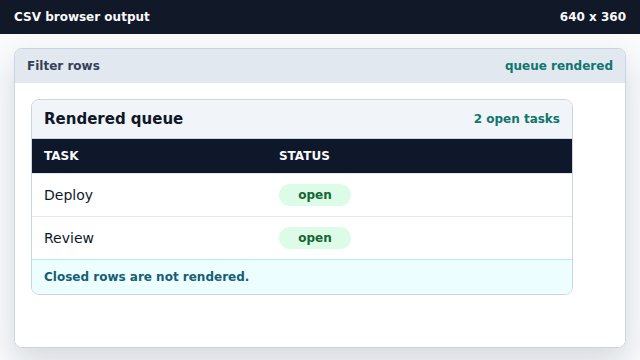
Rendering the filtered array creates the visible queue.
filter
filter creates a new array containing only rows that pass a test.
derived view
A derived view is rendered from source data without changing the source data itself.