Fills, Strokes, and Markers
Stroke Dasharray Path
A solid stroke baseline, a dashed stroke, and a dotted stroke share the same path shape so the dasharray pattern is the only difference.
Program
stroke-dasharray takes a list of on/off lengths. The browser repeats the pattern along the stroke, turning solid lines into dashed or dotted ones without changing the underlying geometry.
stroke_dasharray_path.html
Visuals: captured from real browser rendering
<svg class="demo-svg" viewBox="0 0 360 220" role="img" aria-label="Stroke dasharray">
  <rect width="360" height="220" fill="#f8fafc" />
  <path d="M40 70 Q180 30, 320 70" fill="none" stroke="#1d4ed8" stroke-width="6" />
  <path d="M40 130 Q180 90, 320 130" fill="none" stroke="#0f766e" stroke-width="6" stroke-dasharray="14 8" />
  <path d="M40 188 Q180 148, 320 188" fill="none" stroke="#f97316" stroke-width="6" stroke-dasharray="2 10" />
</svg>
Paint the viewport background.
A background makes the dashed strokes easier to read. Stroke a solid blue path.
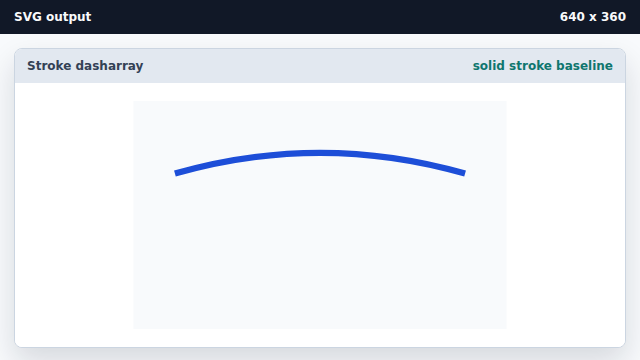
Without stroke-dasharray a stroke is a continuous line. Stroke a dashed teal path.
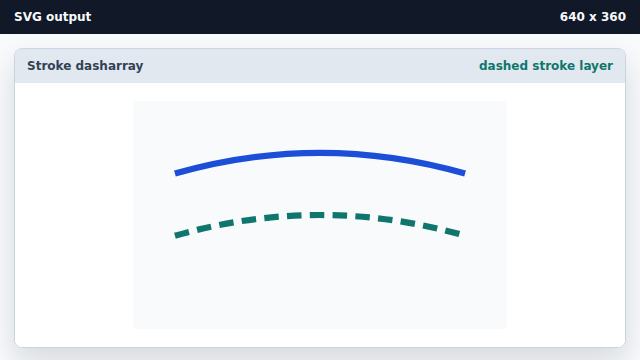
stroke-dasharray="14 8" alternates 14 on, 8 off along the path. Stroke a dotted orange path.
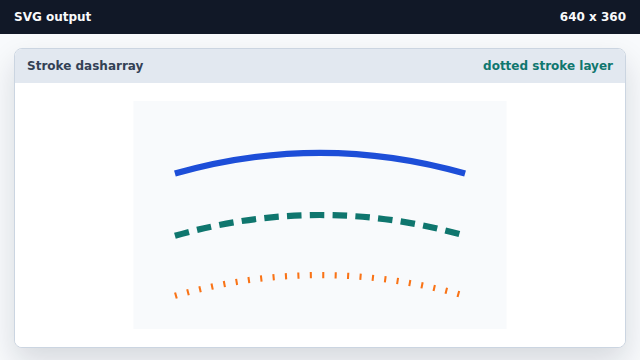
A short dash with a long gap reads as dots along the path.
stroke-dasharray
stroke-dasharray is a list of on and off lengths that the browser repeats along the stroke.
dashes vs dots
A short on length with a longer off length renders as dots; longer on lengths render as dashes.