Fills, Strokes, and Markers
Marker Arrow Line
A marker is defined once inside defs, then a line uses marker-end="url(#id)" to draw an arrow head at its terminal point.
Program
SVG markers are reusable decorations that draw at vertices of a path or at the ends of a line. The marker is defined inside defs and applied with marker-start, marker-mid, or marker-end.
marker_arrow_line.html
Visuals: captured from real browser rendering
<svg class="demo-svg" viewBox="0 0 360 220" role="img" aria-label="Marker arrow">
  <defs>
    <marker id="arrow" viewBox="0 0 10 10" refX="9" refY="5" markerWidth="8" markerHeight="8" orient="auto">
      <path d="M0,0 L10,5 L0,10 z" fill="#1d4ed8" />
    </marker>
  </defs>
  <rect width="360" height="220" fill="#f8fafc" />
  <line x1="60" y1="170" x2="290" y2="70" stroke="#94a3b8" stroke-width="3" stroke-dasharray="6 6" />
  <line x1="60" y1="170" x2="290" y2="70" stroke="#1d4ed8" stroke-width="5" marker-end="url(#arrow)" />
</svg>
Paint the viewport background.
A background lets the marker stand out at the line end. Define an arrow marker inside defs.
A marker inside defs draws nothing by itself; lines reference it later. Sketch a dashed guide line.
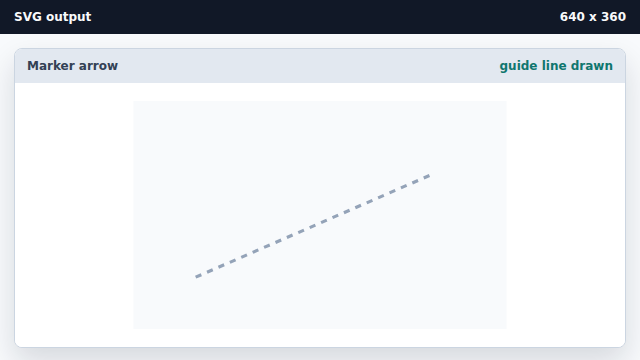
A guide line is a visual hint that has no marker yet. Draw a blue line that uses marker-end.
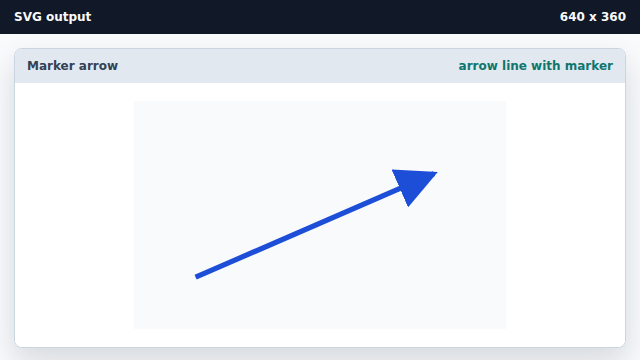
marker-end attaches the defined marker to the end of the line geometry.
marker element
A marker is a reusable shape attached to vertices or ends of a path or line.
marker-end
marker-end paints the marker at the terminal point of a line or path.