Clipping, Masking, and Patterns
Pattern Tile Fill
A 20-by-20 dot tile lives inside defs as a pattern. A panel then references the pattern as its fill so the tile repeats across the panel.
Program
SVG patterns are tiles that fill another shape. The tile content lives inside a pattern element and the consuming shape references it by id.
pattern_tile_fill.html
Visuals: captured from real browser rendering
<svg class="demo-svg" viewBox="0 0 360 220" role="img" aria-label="Pattern tile">
  <defs>
    <pattern id="dots" width="20" height="20" patternUnits="userSpaceOnUse">
      <rect width="20" height="20" fill="#f0f9ff" />
      <circle cx="10" cy="10" r="4" fill="#0ea5e9" />
    </pattern>
  </defs>
  <rect width="360" height="220" fill="#f8fafc" />
  <rect x="36" y="40" width="288" height="140" rx="14" fill="url(#dots)" stroke="#0ea5e9" stroke-width="3" />
</svg>
Paint the viewport background.
A background sets the stage for the tiled panel. Define the pattern tile.
A pattern element holds a small tile that other shapes will reference. Add the dot to the pattern tile.
A circle inside the pattern becomes part of every tile when the pattern is used. Fill a panel with the dot pattern.
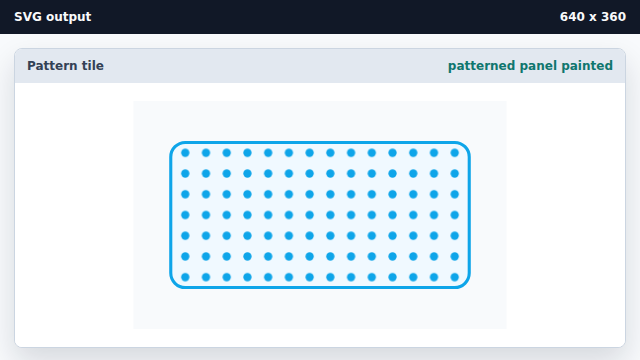
fill="url(#id)" repeats the tile across the shape.
pattern element
A pattern element holds a small tile of geometry that can be repeated.
url() pattern fill
fill="url(#id)" repeats the named pattern across the shape.