Clipping, Masking, and Patterns
Clip Path Window
A clipPath in defs becomes a mask shape. A wide yellow rectangle is constrained to the window so it appears only inside that region.
Program
A clipPath defines geometry that limits where another shape can paint. Anything outside the clip path is clipped away regardless of how large the source shape is.
clip_path_window.html
Visuals: captured from real browser rendering
<svg class="demo-svg" viewBox="0 0 360 220" role="img" aria-label="Clip path window">
  <defs>
    <clipPath id="window">
      <rect x="80" y="60" width="200" height="100" rx="14" />
    </clipPath>
  </defs>
  <rect width="360" height="220" fill="#f8fafc" />
  <rect x="20" y="40" width="320" height="140" fill="#7c3aed" />
  <rect x="20" y="40" width="320" height="140" fill="#fde68a" clip-path="url(#window)" />
</svg>
Paint the viewport background.
A background sets the stage for the clipping demo. Define a clipPath window.
A clipPath holds geometry that other shapes will be constrained to. Layer a purple panel under the future clipped fill.
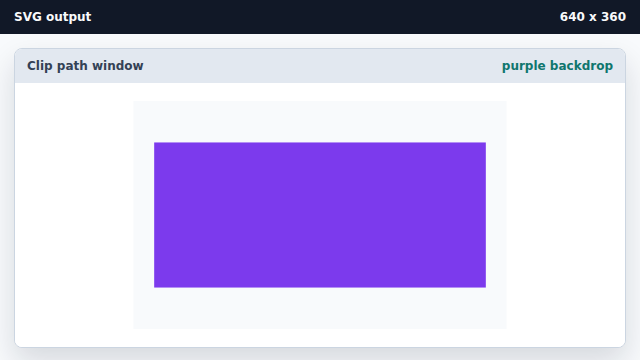
A backdrop shape will show wherever the clipped shape is removed. Paint a yellow rectangle clipped to the window.
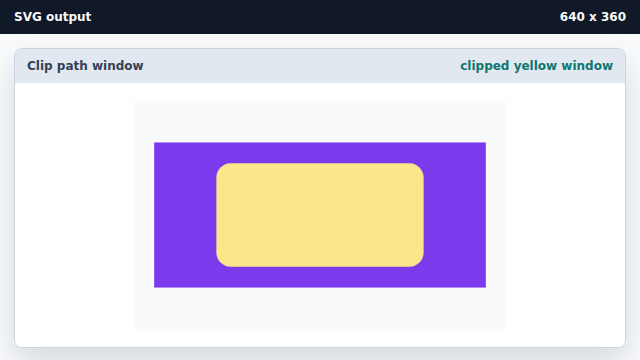
clip-path uses the defined window as a mask, so paint only lands inside it.
clipPath
A clipPath holds geometry that limits where other shapes can paint.
clip-path attribute
clip-path="url(#id)" constrains a shape to the named clipping geometry.