Clipping, Masking, and Patterns
Mask Fade Panel
A linearGradient runs from white to black inside a mask, and an orange panel uses that mask so the panel fades to reveal the blue layer beneath.
Program
SVG masks use grayscale to control alpha. White keeps the source fully visible; black removes it; intermediate grays fade. A gradient inside a mask produces a smooth fade.
mask_fade_panel.html
Visuals: captured from real browser rendering
<svg class="demo-svg" viewBox="0 0 360 220" role="img" aria-label="Mask fade">
  <defs>
    <linearGradient id="alpha-ramp" x1="0" y1="0" x2="1" y2="0">
      <stop offset="0%" stop-color="white" />
      <stop offset="100%" stop-color="black" />
    </linearGradient>
    <mask id="fade">
      <rect width="360" height="220" fill="url(#alpha-ramp)" />
    </mask>
  </defs>
  <rect width="360" height="220" fill="#f8fafc" />
  <rect x="40" y="56" width="280" height="108" rx="14" fill="#1e40af" />
  <rect x="40" y="56" width="280" height="108" rx="14" fill="#f97316" mask="url(#fade)" />
</svg>
Paint the viewport background.
A background gives the panels something to fade against. Define a mask using the alpha ramp.
A mask inside defs becomes alpha paint for any shape that references it. Paint the blue layer that the mask will reveal.
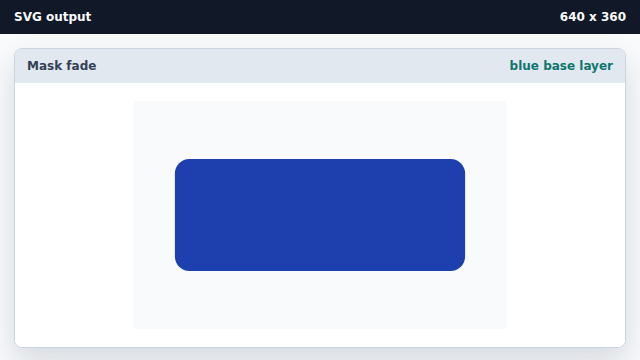
A masked layer shows through wherever the mask is opaque. Paint an orange panel that uses the fade mask.
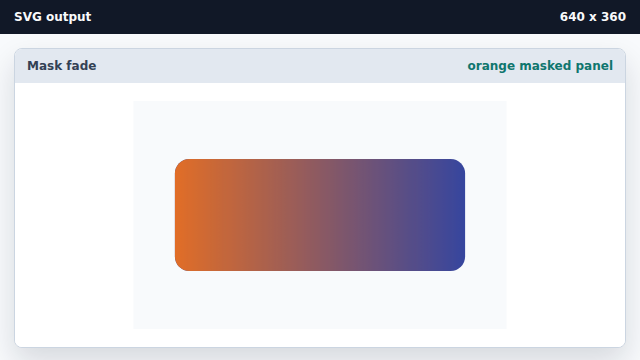
mask="url(#id)" sends the source through the grayscale alpha of the mask.
mask
A mask paints a shape through a grayscale alpha layer.
gradient mask
A gradient inside a mask produces a smooth fade across the shape.