Filters and Interaction States
Drop Shadow Filter
A filter holds an feDropShadow primitive. A plain rectangle sits next to a filtered rectangle so the shadow effect is easy to compare.
Program
SVG filters are graphics primitives chained inside a filter element. feDropShadow renders a blurred translated copy of the source and composites it behind the original.
drop_shadow_filter.html
Visuals: captured from real browser rendering
<svg class="demo-svg" viewBox="0 0 360 220" role="img" aria-label="Drop shadow">
  <defs>
    <filter id="shadow" x="-20%" y="-20%" width="140%" height="140%">
      <feDropShadow dx="0" dy="6" stdDeviation="6" flood-color="#0f172a" flood-opacity="0.3" />
    </filter>
  </defs>
  <rect width="360" height="220" fill="#f8fafc" />
  <rect x="40" y="60" width="120" height="100" rx="14" fill="#fde68a" />
  <rect x="210" y="60" width="120" height="100" rx="14" fill="#fde68a" filter="url(#shadow)" />
</svg>
Paint the viewport background.
A background helps the drop shadow stand out. Define the drop-shadow filter.
A filter inside defs is a recipe that other shapes apply by id. Place a plain amber rectangle.
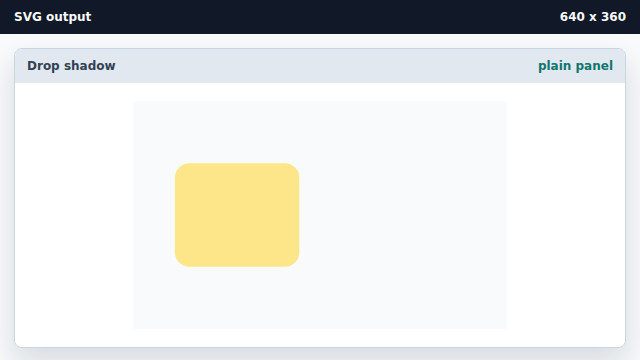
A plain rectangle without a filter draws sharply against the background. Apply the drop-shadow filter to a second rectangle.
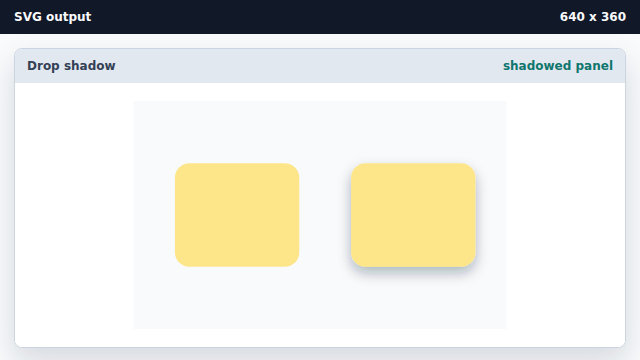
filter="url(#id)" runs the source through the filter primitives before painting.
filter
A filter is a chain of graphics primitives applied to a shape before it paints.
feDropShadow
feDropShadow composites a blurred translated copy of the source as a shadow.