Filters and Interaction States
Blur Filter Focus
A filter with feGaussianBlur is defined once. A blurred panel sits next to an unfiltered crisp panel so the effect is easy to read.
Program
feGaussianBlur applies a Gaussian blur with a chosen stdDeviation. The same shape can have a blurred copy or a crisp copy depending on whether it references the filter.
blur_filter_focus.html
Visuals: captured from real browser rendering
<svg class="demo-svg" viewBox="0 0 360 220" role="img" aria-label="Blur filter">
  <defs>
    <filter id="blur" x="-10%" y="-10%" width="120%" height="120%">
      <feGaussianBlur stdDeviation="4" />
    </filter>
  </defs>
  <rect width="360" height="220" fill="#f8fafc" />
  <rect x="48" y="56" width="120" height="108" rx="14" fill="#a7f3d0" filter="url(#blur)" />
  <rect x="208" y="56" width="120" height="108" rx="14" fill="#a7f3d0" />
</svg>
Paint the viewport background.
A background frames both rectangles. Define the blur filter.
A filter with feGaussianBlur is paint state held inside defs. Paint a panel through the blur filter.
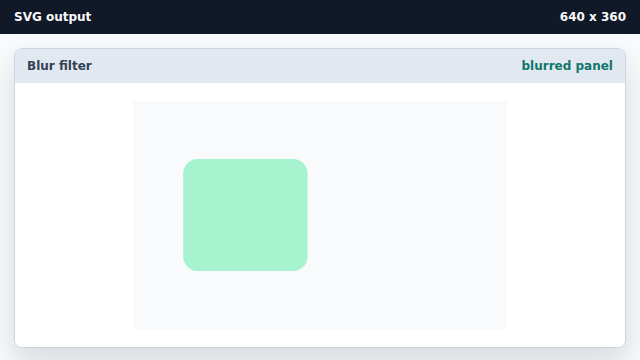
A larger stdDeviation produces a stronger blur effect. Paint a crisp panel without the filter.
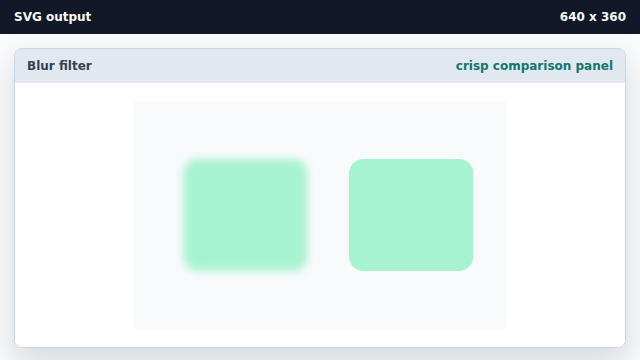
Skipping the filter attribute keeps the shape sharp.
feGaussianBlur
feGaussianBlur softens edges of the source with a Gaussian blur.
stdDeviation
stdDeviation sets the blur radius; larger values blur more.