Table Spans and Headers
Rowspan Schedule
One Header Covers Two Rows
A small schedule table uses rowspan so one Monday header applies to two time slots without repeating the same label.
Program
Row spans merge cells vertically. They are useful when one row header describes several adjacent data rows.
rowspan_schedule.html
Visuals: captured from real browser rendering
<table>
  <tr><th>Day</th><th>Time</th><th>Task</th></tr>
  <tr><th rowspan="2" scope="rowgroup">Monday</th><td>09:00</td><td>Review</td></tr>
  <tr><td>11:00</td><td>Deploy</td></tr>
</table>
Create the schedule table.
The table starts the grid that the later spanning header will shape. Add Day, Time, and Task headers.
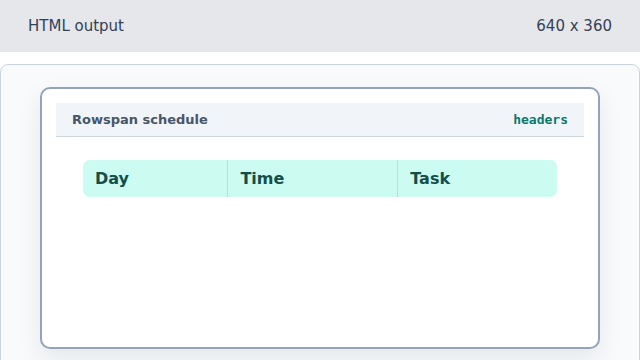
Column headers identify each kind of cell in the schedule. Span the Monday header across two rows.
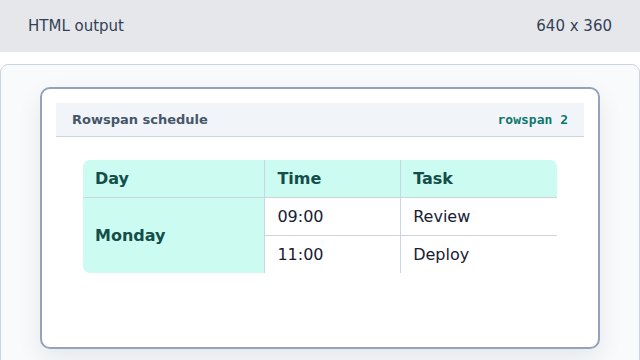
rowspan keeps the repeated day label in one cell. Mark Monday as a row-group header.
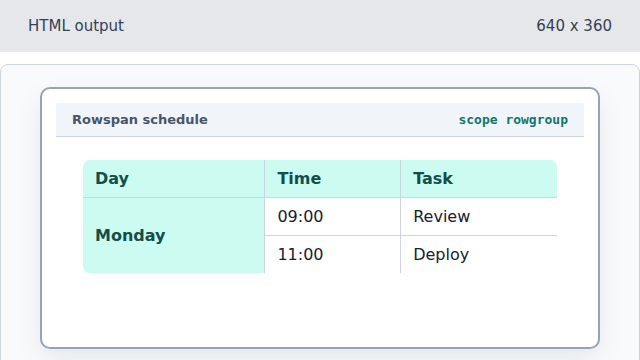
The scope value explains the relationship, not just the visual span. Add the second Monday time slot.
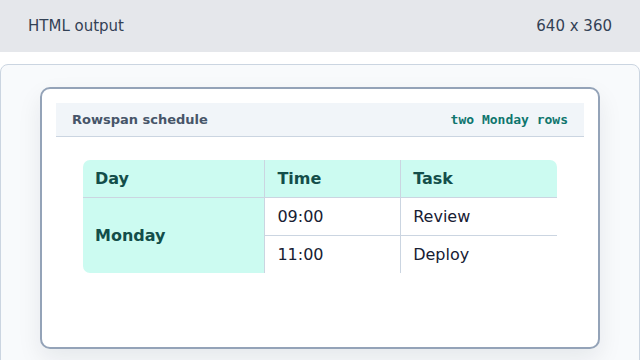
The second row uses the existing spanned day header instead of repeating Monday.
rowspan
The rowspan attribute lets a cell occupy more than one row.
rowgroup scope
scope="rowgroup" marks a header that labels a group of rows.