Parse and Render
CSV to Rows
A small CSV value is split into lines and cells before the browser renders it as an HTML table.
Program
CSV is plain text until code gives it structure. The first step is turning line breaks and commas into table-shaped data.
csv_to_rows.html
Visuals: captured from real browser rendering
<table id="preview"></table>
<script>
  const csvText = "name,team\nAda,Ops\nLin,Data";
  const rows = csvText.trim().split("\n");
  const cells = rows.map(row => row.split(","));
  const html = cells.map((row, index) => {
    const tag = index === 0 ? "th" : "td";
    return "<tr>" + row.map(cell => `<${tag}>${cell}</${tag}>`).join("") + "</tr>";
  }).join("");
  preview.innerHTML = html;
</script>
Split the CSV string into rows.
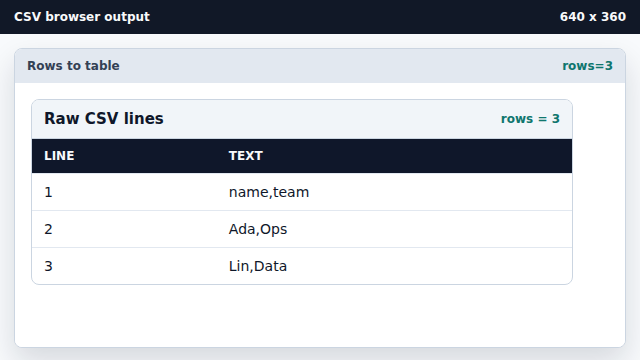
Line splitting creates row boundaries from newline characters. Split each row into cells.
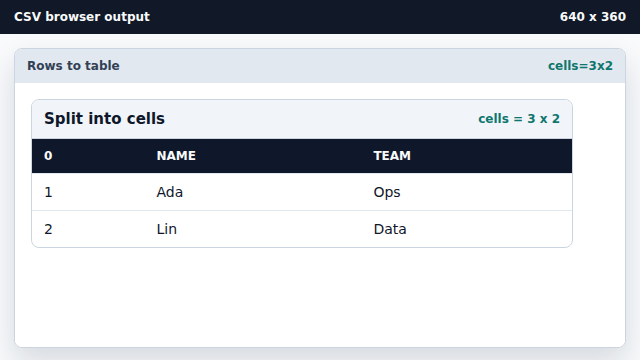
Comma splitting creates the columns inside each row. Render the cell grid into the table.
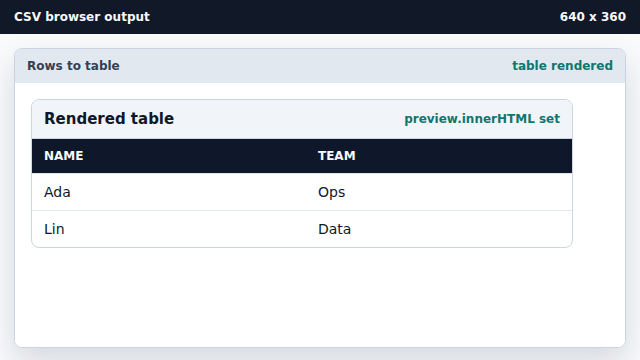
Assigning table markup makes the parsed data visible.
CSV
CSV stores rows as lines and fields as comma-separated text.
table rendering
The browser renders CSV data only after code converts it to HTML table elements.