Compositing and Clipping
Clip Region
A lavender background fills the whole canvas, then a circular path becomes the clipping region so the next fillRect only paints inside the circle.
Program
clip uses the current path as a mask. After clip runs, every drawing call only changes pixels inside that path.
clip_region.html
Visuals: captured from real browser rendering
<canvas id="stage" width="360" height="210"></canvas>
<script>
  const ctx = stage.getContext("2d");
  ctx.fillStyle = "#e0e7ff";
  ctx.fillRect(0, 0, 360, 210);
  ctx.beginPath();
  ctx.arc(180, 105, 80, 0, Math.PI * 2);
  ctx.clip();
  ctx.fillStyle = "#7c3aed";
  ctx.fillRect(40, 30, 280, 160);
</script>
Paint the lavender background.
No clip is active yet, so the fill covers everything. Add a circular path centered on the canvas.
beginPath and arc only describe geometry; clip will use that path later. Use the path as a clipping region.
clip uses the current path as a mask for later drawing. Fill a wide rectangle that the clip will mask.
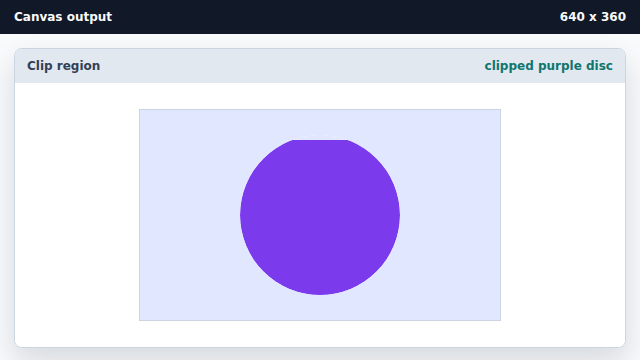
fillRect tries to cover a wide area but only pixels inside the clip change.
clip
clip turns the current path into a mask for later drawing.
path geometry
A canvas path is invisible geometry until a paint method or clip uses it.