Path Geometry
Bezier Curves
A path begins at a point, gains a quadratic curve to a midpoint, then a cubic Bezier curve completes a smooth ribbon before stroke paints it.
Program
Canvas path methods accept curve commands. A quadratic curve needs one control point; a cubic Bezier needs two. Neither is visible until stroke or fill paints the path.
bezier_curves.html
Visuals: captured from real browser rendering
<canvas id="stage" width="360" height="210"></canvas>
<script>
  const ctx = stage.getContext("2d");
  ctx.strokeStyle = "#0f766e";
  ctx.lineWidth = 6;
  ctx.beginPath();
  ctx.moveTo(40, 160);
  ctx.quadraticCurveTo(120, 30, 200, 150);
  ctx.bezierCurveTo(240, 70, 280, 200, 320, 130);
  ctx.stroke();
</script>
Start the curve path.
beginPath resets path geometry; pixels are still untouched. Move the cursor to the first anchor.
moveTo positions the cursor without drawing. Add a quadratic curve through one control point.
quadraticCurveTo extends the path with one control point and one end point. Add a cubic Bezier curve through two control points.
bezierCurveTo extends the path with two control points and one end point. Paint the curved path.
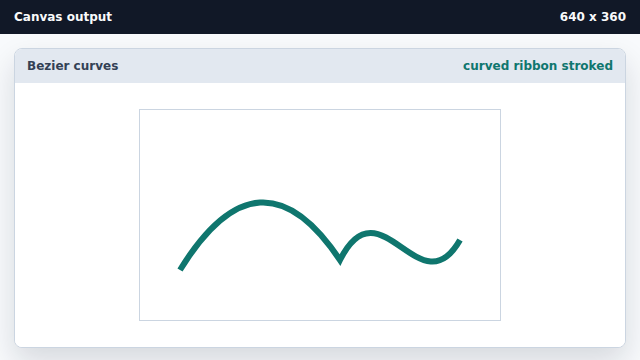
stroke draws the accumulated curve geometry.
quadraticCurveTo
A quadratic curve uses one control point between the start and end anchors.
bezierCurveTo
A cubic Bezier curve uses two control points for richer shapes.