Pipeline Basics
Clear Frame
A WebGL canvas gets a context, chooses its viewport, stores a clear color, and then paints the framebuffer.
Program
WebGL is a state machine. Some calls configure future work, while draw and clear calls actually change pixels.
clear_frame.html
Visuals: generated teaching cards from captured state
- state written by this keyframe
1<canvas id="stage" width="360" height="210"></canvas>
2<script>
3  const gl = stage.getContext("webgl");
4  gl.viewport(0, 0, stage.width, stage.height);
5  gl.clearColor(0.07, 0.10, 0.18, 1.0);
6  gl.clear(gl.COLOR_BUFFER_BIT);
7</script>Create a WebGL rendering context
kf: 1event 0kind: lifecycleCreate a WebGL rendering context.
3const gl = stage.getContext→ WebGLRenderingContext("webgl");
The canvas is ready for GPU-backed drawing, but pixels are unchanged. State after this keyframenone → WebGLRenderingContextcontextMatch the viewport to the canvas size
kf: 2event 1kind: lifecycleMatch the viewport to the canvas size.
4gl.viewport→ 360 x 210(0, 0, stage.width, stage.height);
Viewport state maps clip-space coordinates into canvas pixels. State after this keyframedefault → 360 x 210viewportStore the color used by the next clear
kf: 3event 2kind: lifecycleStore the color used by the next clear.
5gl.clearColor→ dark blue(0.07, 0.10, 0.18, 1.0);
clearColor changes state; it does not paint by itself. State after this keyframeunset → dark blueclear colorPaint the framebuffer with the clear color
kf: 4event 3kind: lifecyclePaint the framebuffer with the clear color.
6gl.clear→ dark blue pixels(gl.COLOR_BUFFER_BIT);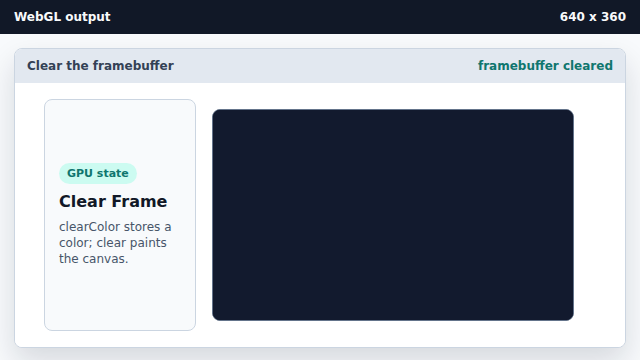
clear writes the configured color into every color-buffer pixel. State after this keyframelight pixels → dark blue pixelsframebuffer
WebGL context
The WebGL context is the JavaScript object used to configure and draw with the GPU.
viewport
The viewport maps clip-space coordinates into pixels in the drawing buffer.
framebuffer
The framebuffer is the target pixel storage that clear and draw calls update.