Pixels and Image Data
Image Data Write
createImageData allocates a blank pixel block, a loop fills the typed array with a sky-blue color, and putImageData copies those bytes into the canvas bitmap.
Program
Pixel writes live entirely in JavaScript memory until putImageData runs. Building the typed array does not paint anything; the bitmap update happens in one step.
image_data_write.html
Visuals: captured from real browser rendering
<canvas id="stage" width="360" height="210"></canvas>
<script>
  const ctx = stage.getContext("2d");
  const image = ctx.createImageData(120, 80);
  const data = image.data;
  for (let i = 0; i < data.length; i += 4) {
    data[i] = 14;
    data[i + 1] = 165;
    data[i + 2] = 233;
    data[i + 3] = 255;
  }
  ctx.putImageData(image, 120, 65);
</script>
Allocate a blank ImageData block.
A new ImageData starts as transparent zero bytes; the canvas is unchanged. Fill the typed array with sky-blue bytes.
The canvas bitmap does not change until putImageData runs. Copy the typed array into the canvas bitmap.
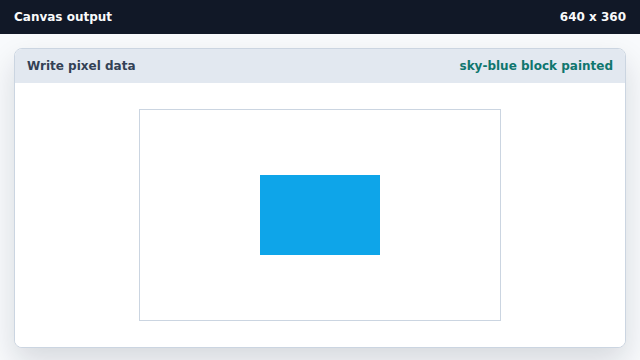
putImageData copies the bytes from ImageData into the canvas bitmap at the requested origin.
createImageData
createImageData allocates a typed-array buffer for canvas pixel bytes.
putImageData
putImageData copies pixel bytes into the canvas bitmap.