Capstone
Release Status Flow
Browser State Meets API Data
A small release dashboard builds its HTML shell, reads URL state, applies CSS-facing DOM state, and renders API data into the page.
Program
The flow starts with a stable app mount. JavaScript creates the page structure, reads the target environment from URL state, then writes API status into DOM attributes, classes, text, and list items.
release_status_flow.js
Visuals: captured from real browser rendering
const app = document.querySelector('#release-app');
const params = new URLSearchParams('?env=prod');
const apiResult = { status: 'ready', version: '2.4.0', checks: ['HTML shell', 'CSS state', 'DOM sync'] };

app.innerHTML = `
  <header class="release-head">
    <h2>Release desk</h2>
    <span id="env-label">Environment pending</span>
  </header>
  <section id="release-card" class="release-card" data-status="loading">
    <strong id="version">Waiting for API</strong>
    <ul id="checks"></ul>
  </section>`;

const env = params.get('env') || 'staging';
const card = app.querySelector('#release-card');
const envLabel = app.querySelector('#env-label');
const version = app.querySelector('#version');
const checks = app.querySelector('#checks');

app.dataset.env = env;
envLabel.textContent = `Target: ${env}`;

card.dataset.status = apiResult.status;
card.classList.add('ready');
version.textContent = `Version ${apiResult.version} ${apiResult.status}`;

checks.innerHTML = apiResult.checks
  .map(check => `<li>${check}</li>`)
  .join('');
Build the release dashboard HTML shell.
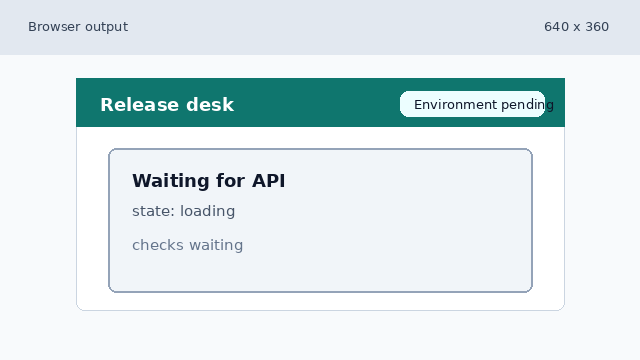
The app now has semantic structure, but browser state and API data have not been applied. Read the target environment from browser URL state.
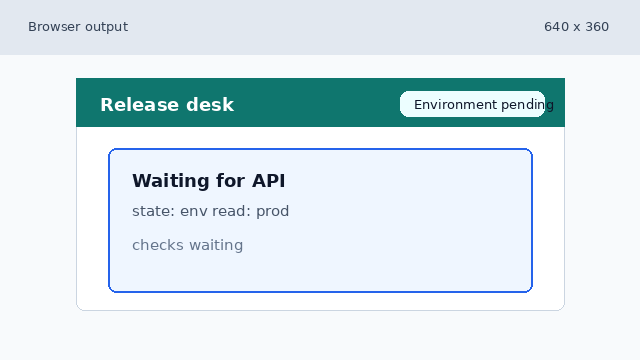
URLSearchParams changes JavaScript state first; the DOM is unchanged until the value is written. Expose URL state through DOM attributes and visible text.
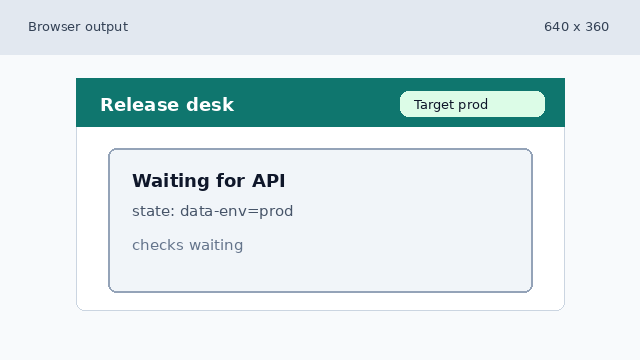
Writing data-env and label text makes the URL-selected environment visible. Apply API status as CSS state and version text.
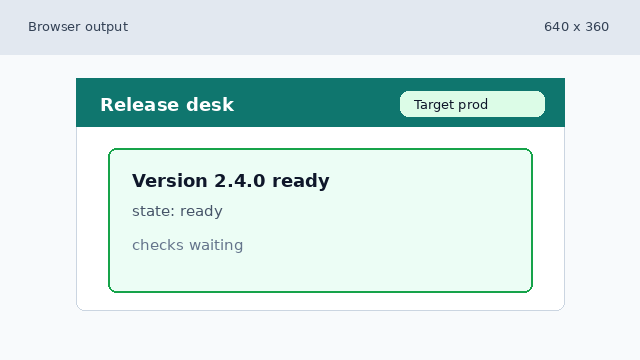
API status becomes both selector state and user-facing text. Render API checks into the dashboard list.
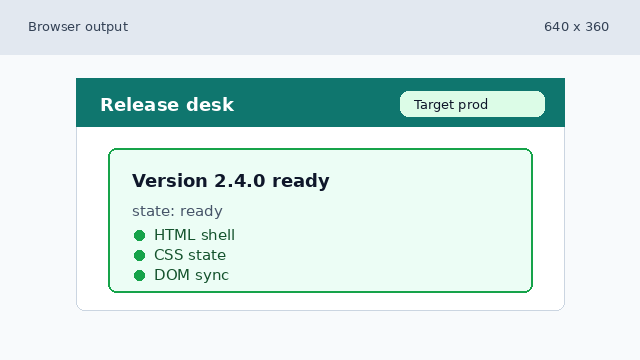
The final DOM combines browser state, API data, CSS state, and rendered HTML.
integration flow
An integration flow connects browser state, data, DOM updates, and CSS selectors in one path.
data-driven styling
Data attributes and classes let CSS respond to JavaScript state without rebuilding the whole page.
API payload
An API payload is external data. Client code turns it into visible UI state.